


Spending
Room for today
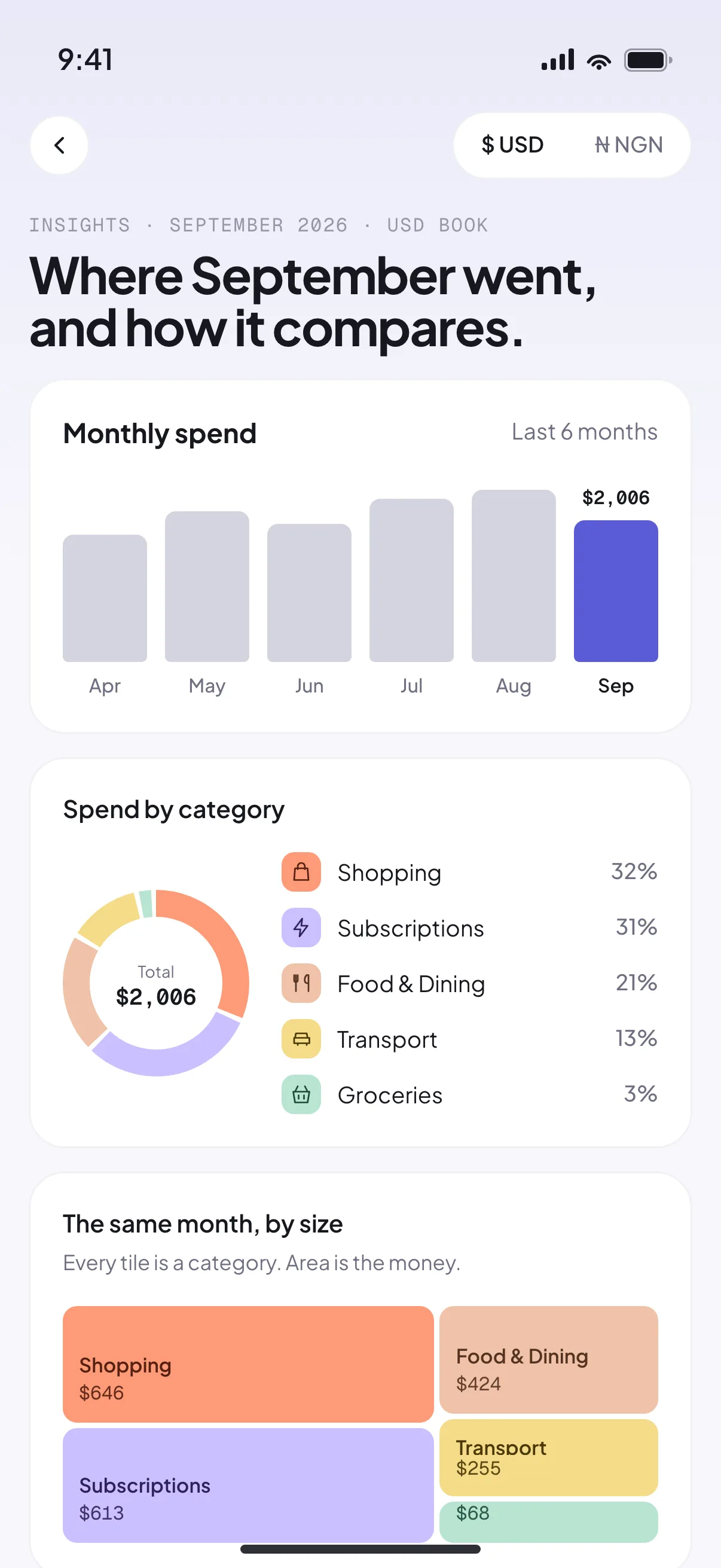
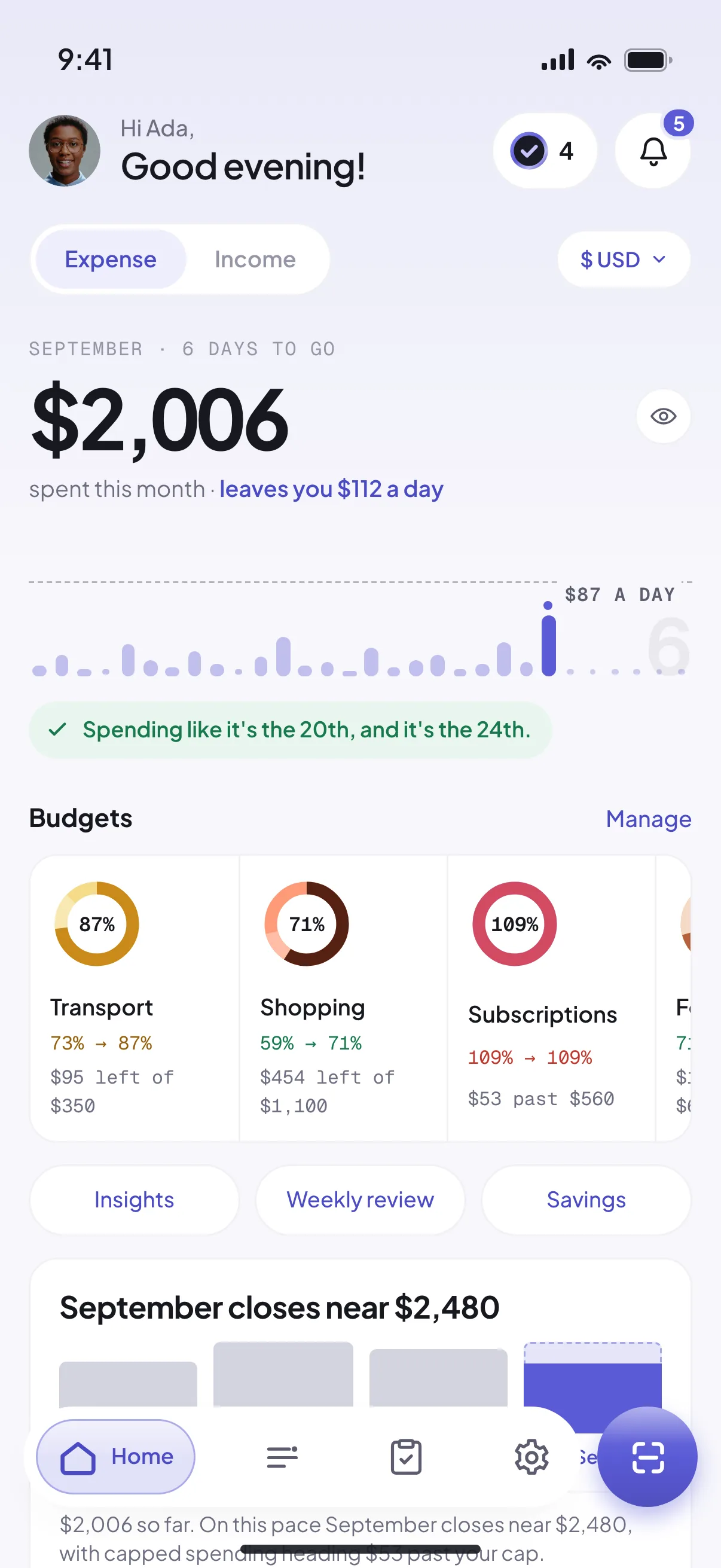
The month so far, what it leaves you each day, and the days that cost the most.
AI-powered expense tracking. See where your money went and what’s left for today.
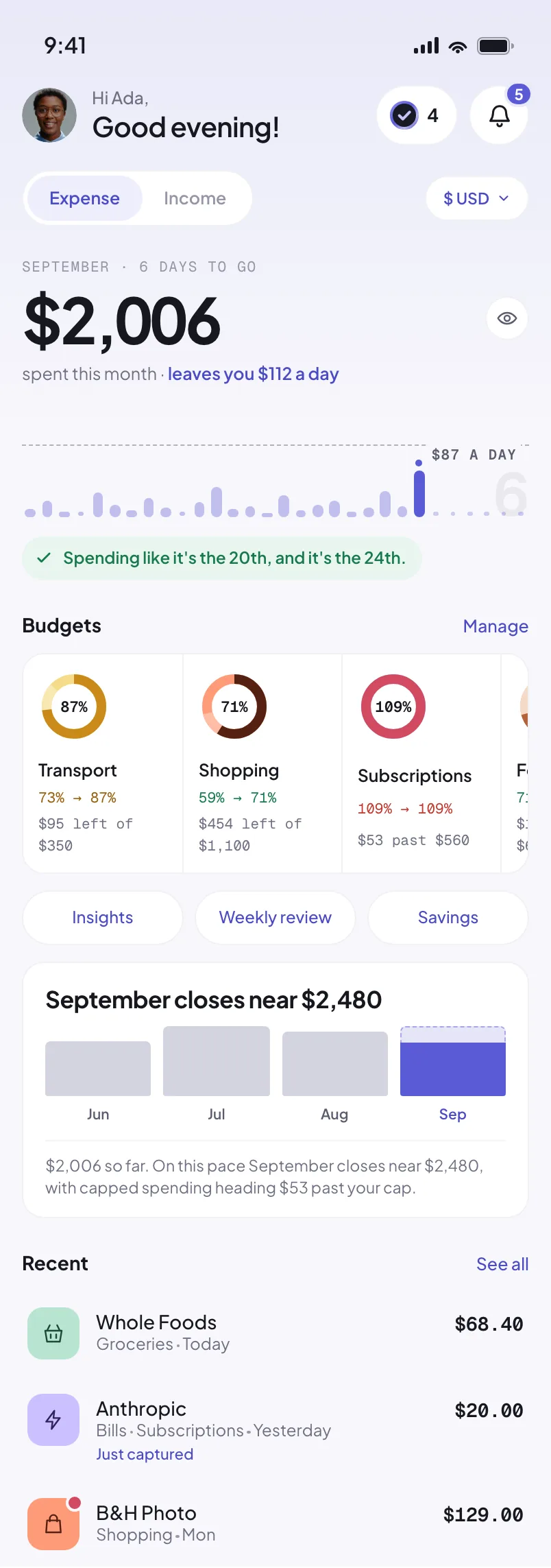
Receipts drift from left to right behind a phone running Riffl and come out the other side as categorised records: store receipts, bank transfers, online orders and subscription invoices, in naira, dollars and pounds. Each keeps its merchant, total, currency, date and Riffl category. The phone shows Riffl's home screen, spending and income in turn.
Capture & review
One receipt, from the scan button to your book, exactly as the app does it.
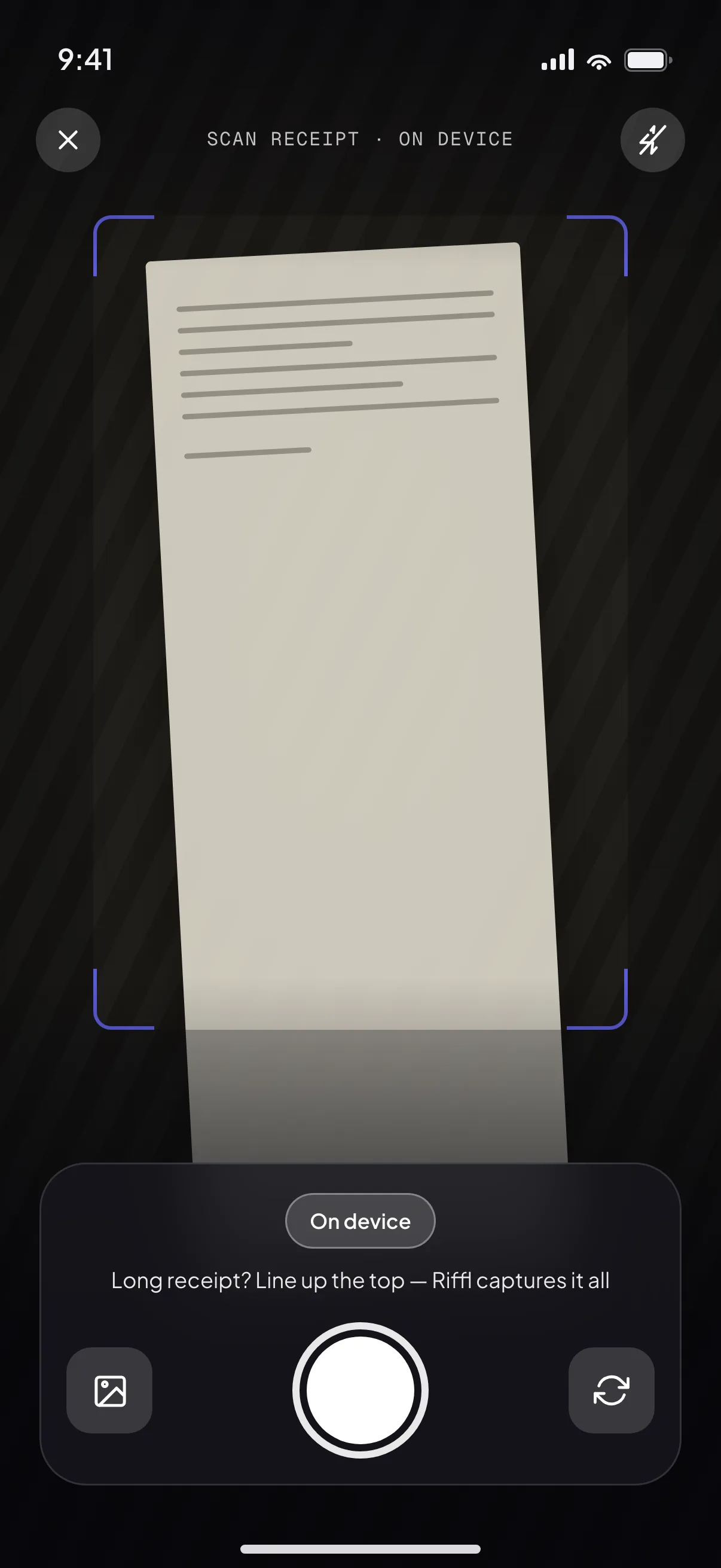
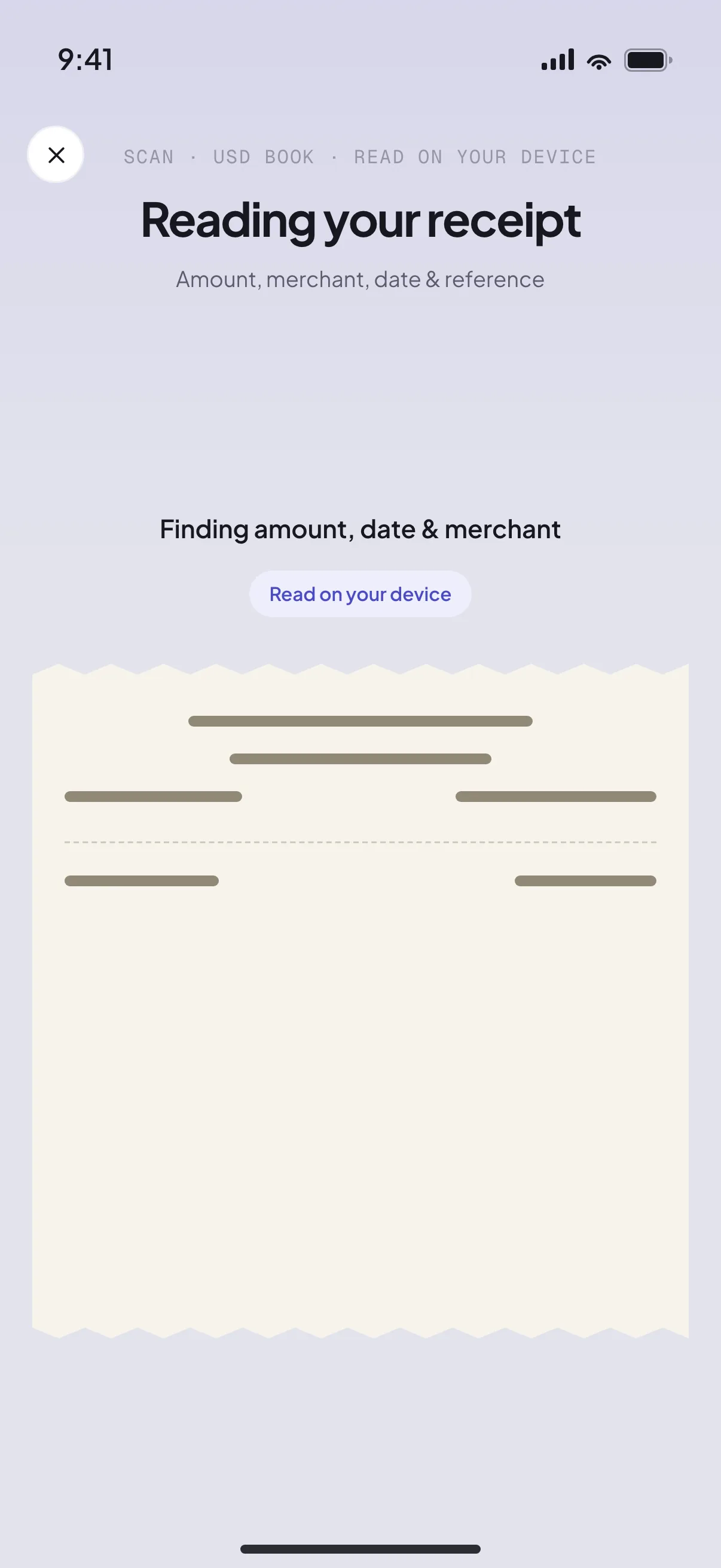
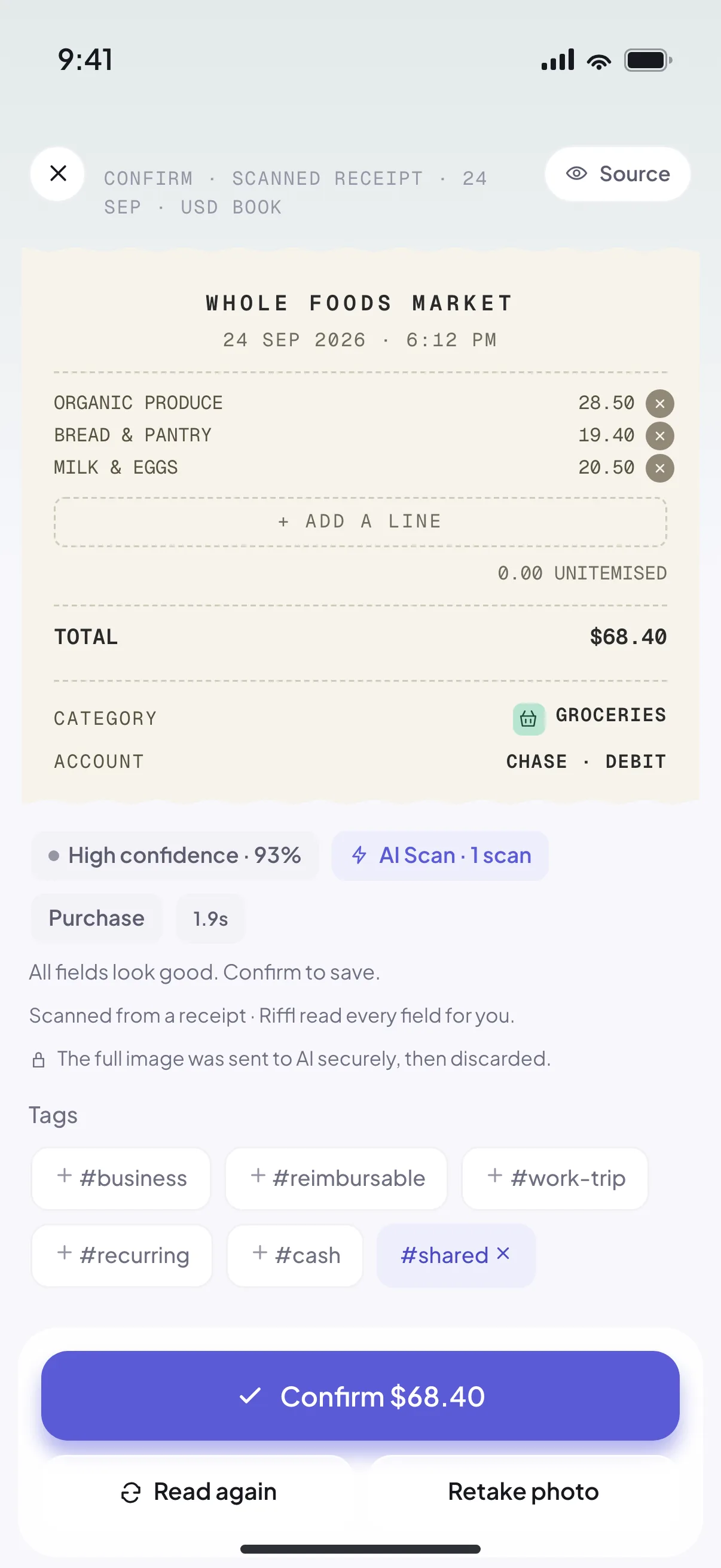
The phone plays the flow: from Home, the scan button opens a menu with Receipt and Manual. Receipt opens the camera, which frames a long paper receipt. Riffl reads the amount, merchant, date and reference. The confirm screen shows the Whole Foods receipt with every field read at 93 percent confidence and a Confirm $68.40 button. Home then lists Whole Foods, groceries, $68.40, at the top of Recent.
Your money, in view
What went out. What came in.
And how much room you have today.
Spending
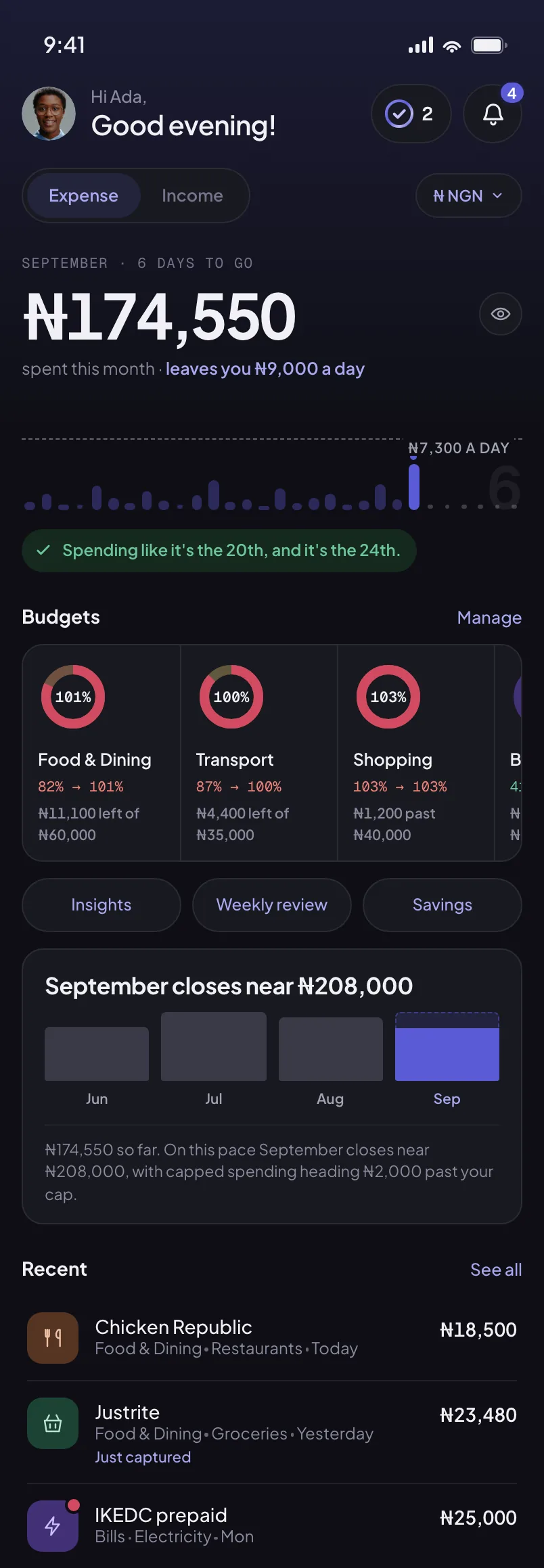
The month so far, what it leaves you each day, and the days that cost the most.

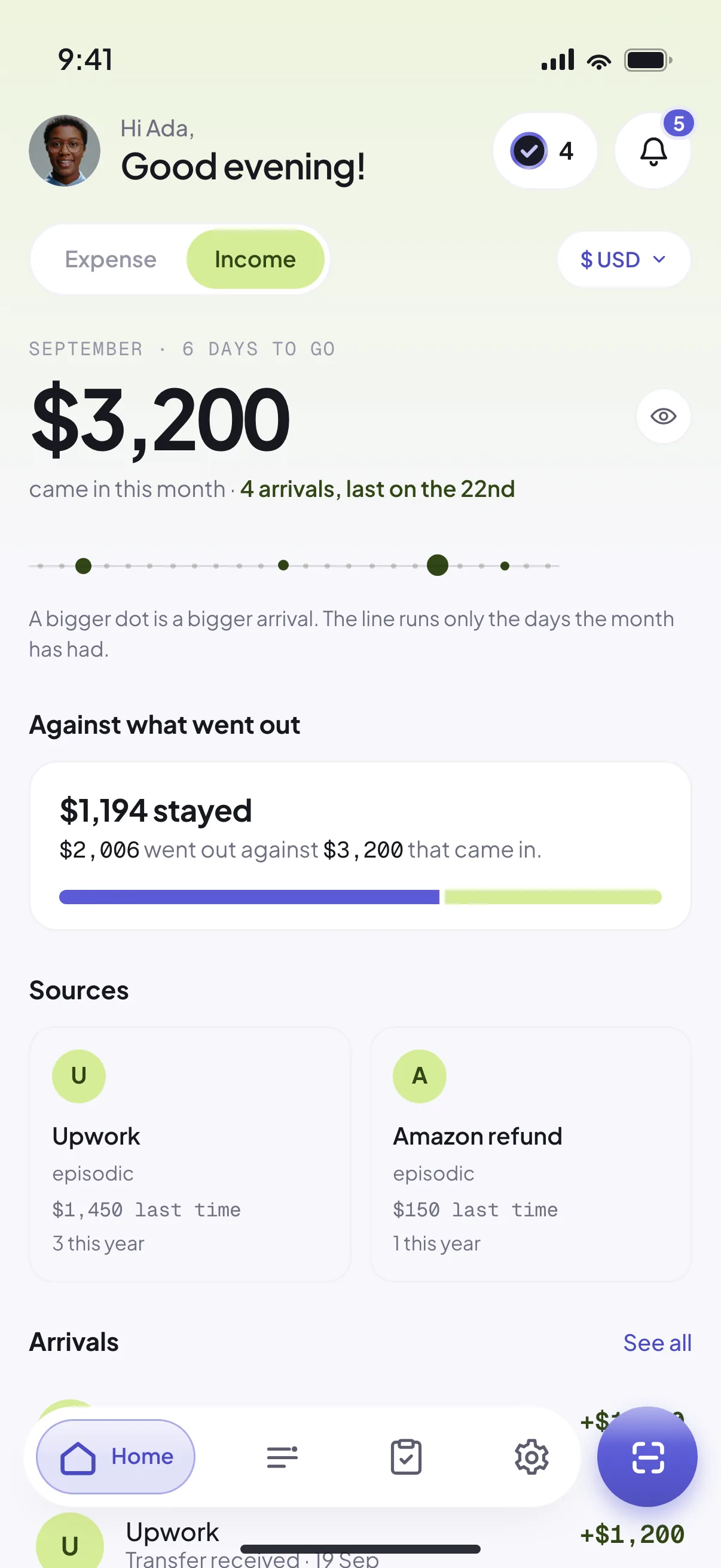
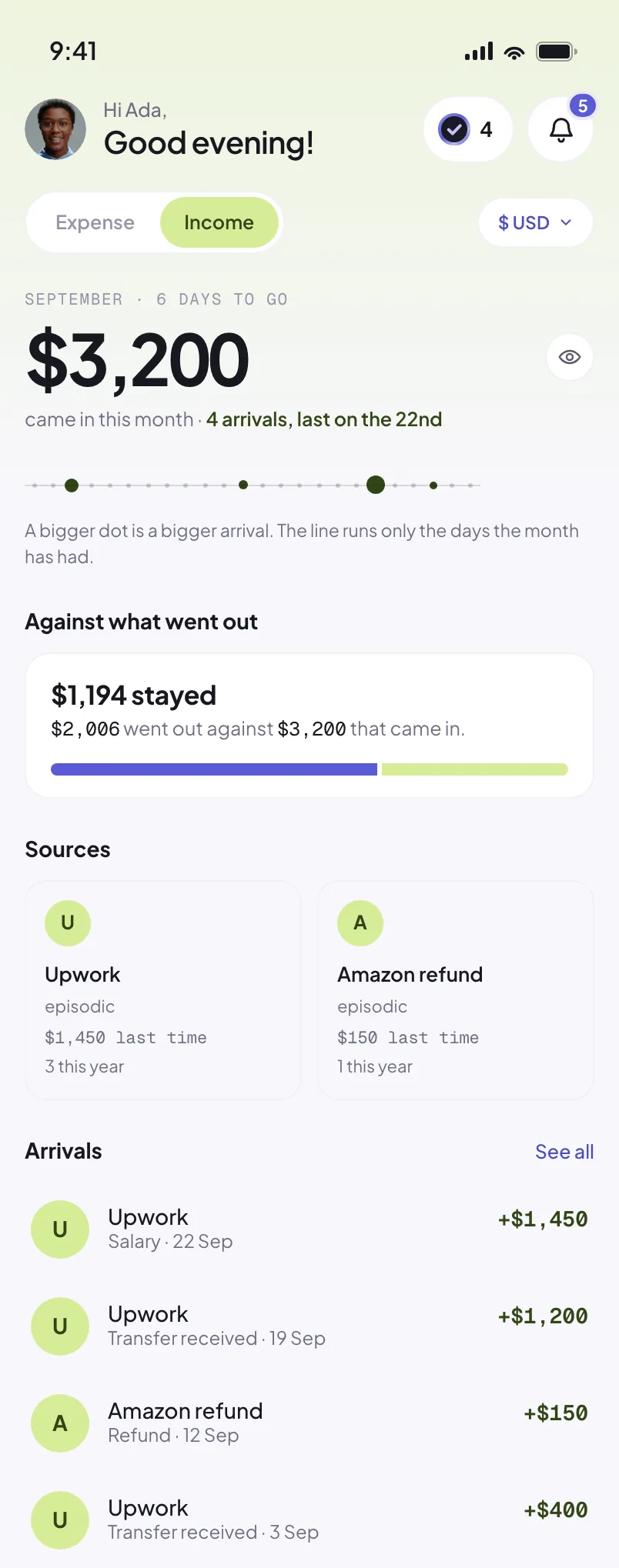
Income
See what came in and when, so you can plan around the money you actually have.

Naira book
Your naira history, budgets and totals stay apart from your dollars.

Recent
Find any purchase and the receipt behind it, without digging through your photos.
Multi-currency
Naira, dollars, pounds, euros, and any other currency you use. Each keeps its own income, spending and budgets, never blended into one estimate.
From the maker
I kept throwing my receipts away.
I wanted something simpler: snap the receipt or the bank alert, and actually see my weekly and monthly spend, clearly enough to budget and rein it in.
Olamide Agboola Maker of Riffl · Lagos
From a tester
“Riffl has helped me to look into my finances more. At first I thought I don’t need it, but it has proven me wrong.”
Budgets & savings
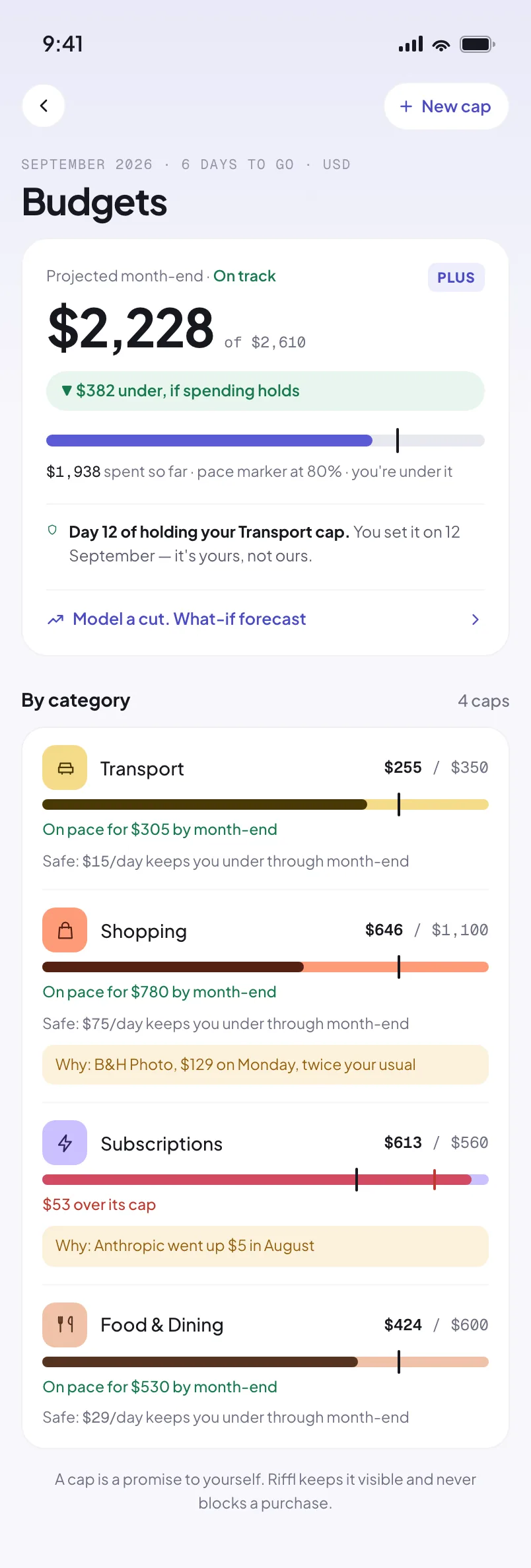
See where your spending is heading while there is still time to adjust.

Your budget shows what is left and where the month is likely to end.

Spent less than planned? Record the difference as savings and give it a purpose.

A trip, a buffer, a place of your own. Know what to set aside to stay on course.
From your own history
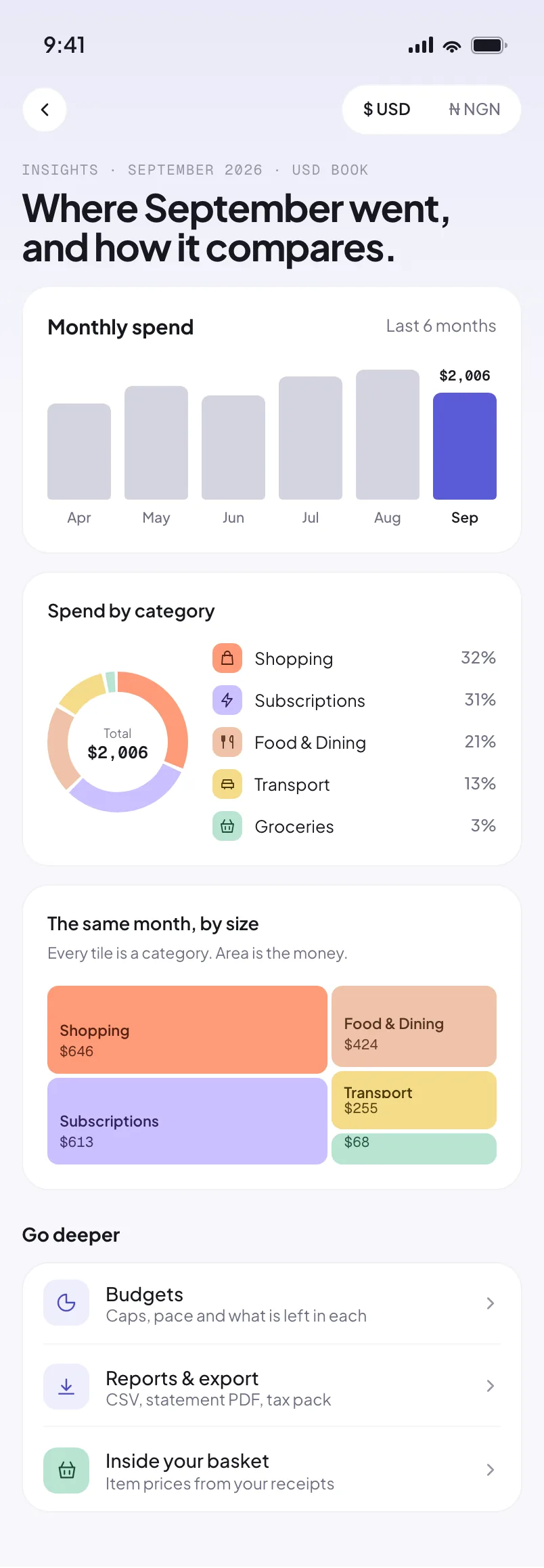
See what changed this month and where most of your money went, from the records you saved.
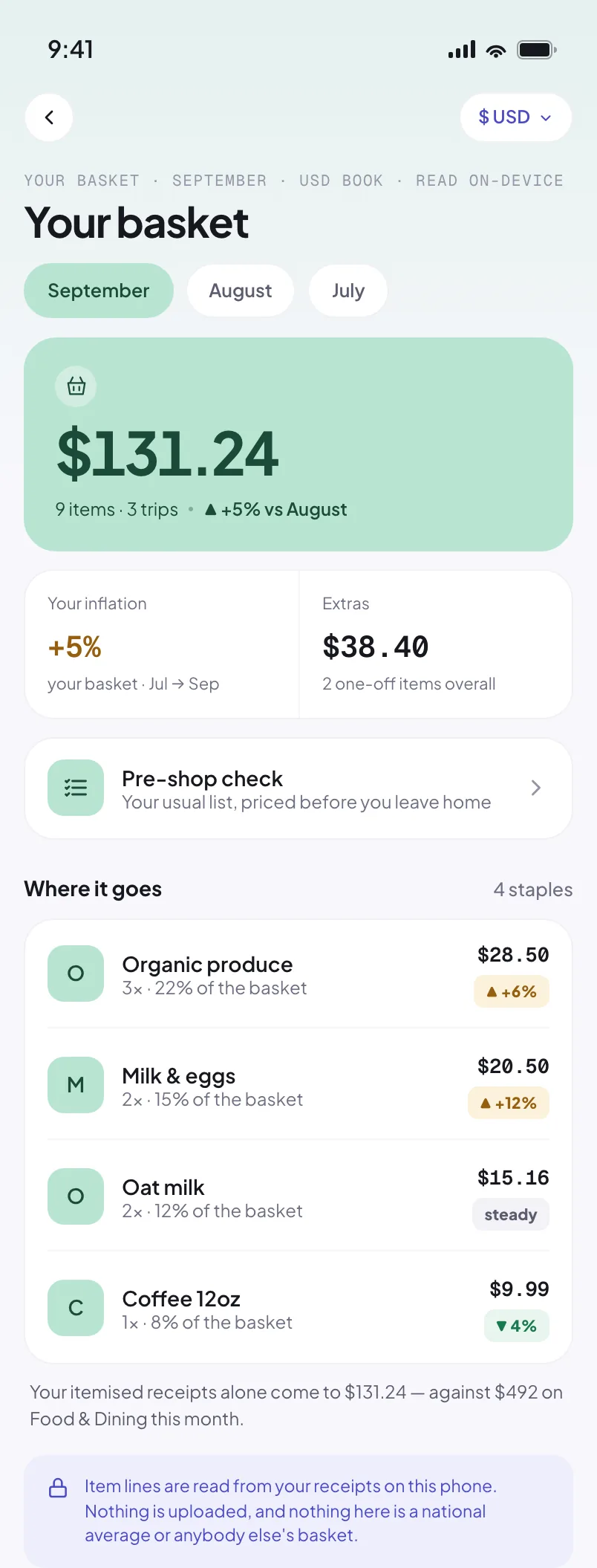
Find out which everyday purchases are getting more expensive before your next shopping trip.
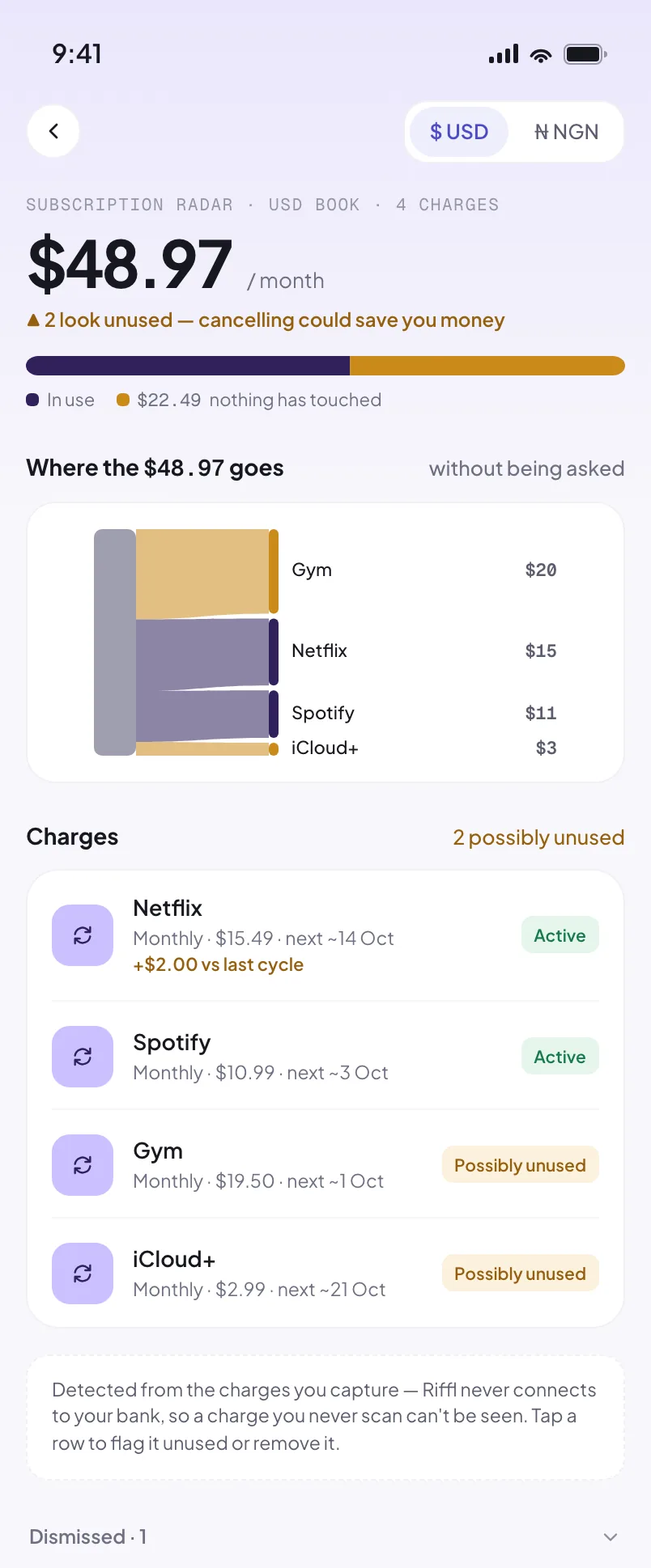
See the recurring charges in your records and decide which ones still deserve a place in your month.
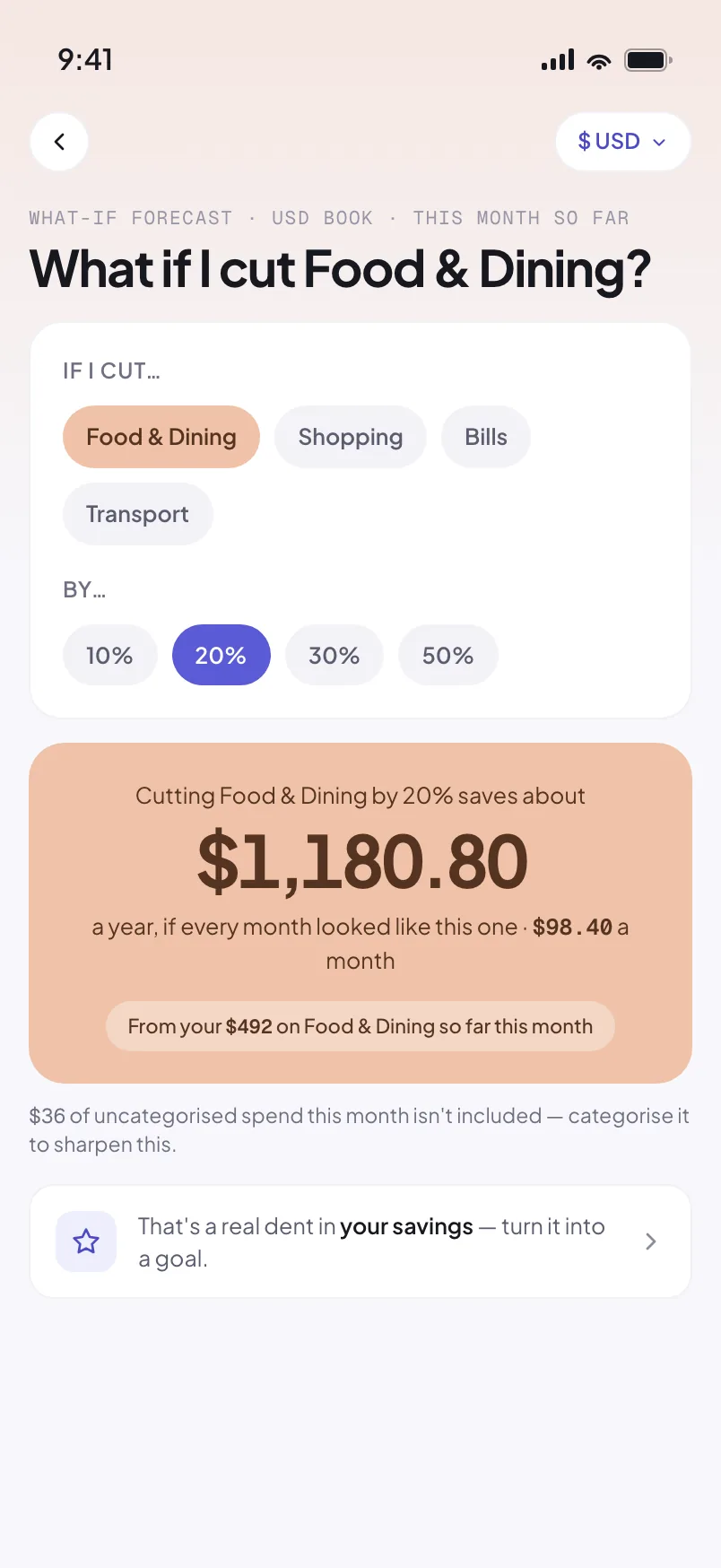
Try a smaller spend and see what it could leave you over a year. Then make that saving a goal.
Plans with friends. A place of your own.
A little less worry about the end of the month.
No bank connection.No bank passwords. You choose the records Riffl reads.
Kept on your phone.Your records live locally. App lock and encrypted backup help you protect them.
A clear choice about AI.AI reading sends your chosen capture for extraction. On-device reading and manual entry are available too.
Yes. The app’s plan features are open during early access. AI reads have a scan allowance; manual entry and on-device reading are also available.
No bank login or BVN is needed. Scan a receipt, import a screenshot or statement, or add a record by hand. You review the details before they enter your books.
Yes. Riffl keeps each currency in its own book, with separate income, spending and budgets. It never blends them into an estimated total.
On supported Android devices, you can enable bank-alert capture and review the alerts in your inbox. On iPhone, use receipt scans, screenshots, statement imports or manual entry.
Your records, editing and spending reviews work on your phone. AI reading needs a connection; on-device reading and manual entry are available offline.
A saved record appears straight away. Importing a statement can add history sooner. Subscription detection needs repeat charges on a steady rhythm, and basket comparisons need repeat purchases.
Choose a category and a smaller spending level. Riffl estimates what that change could save over a year, based on your current month.
Record what you lent, what you borrowed, and repayments. Keep money that is coming back separate from everyday spending.
Track support for your household and extended family, with a history of the people and purposes behind your transfers.
Look back by week, month or year. Tag reimbursable expenses and export PDF or CSV records when you need to share them.
Early access
Your next receipt is a good place to start. Join the early-access list.
Coming to iOS & Android · no spam, just a launch note